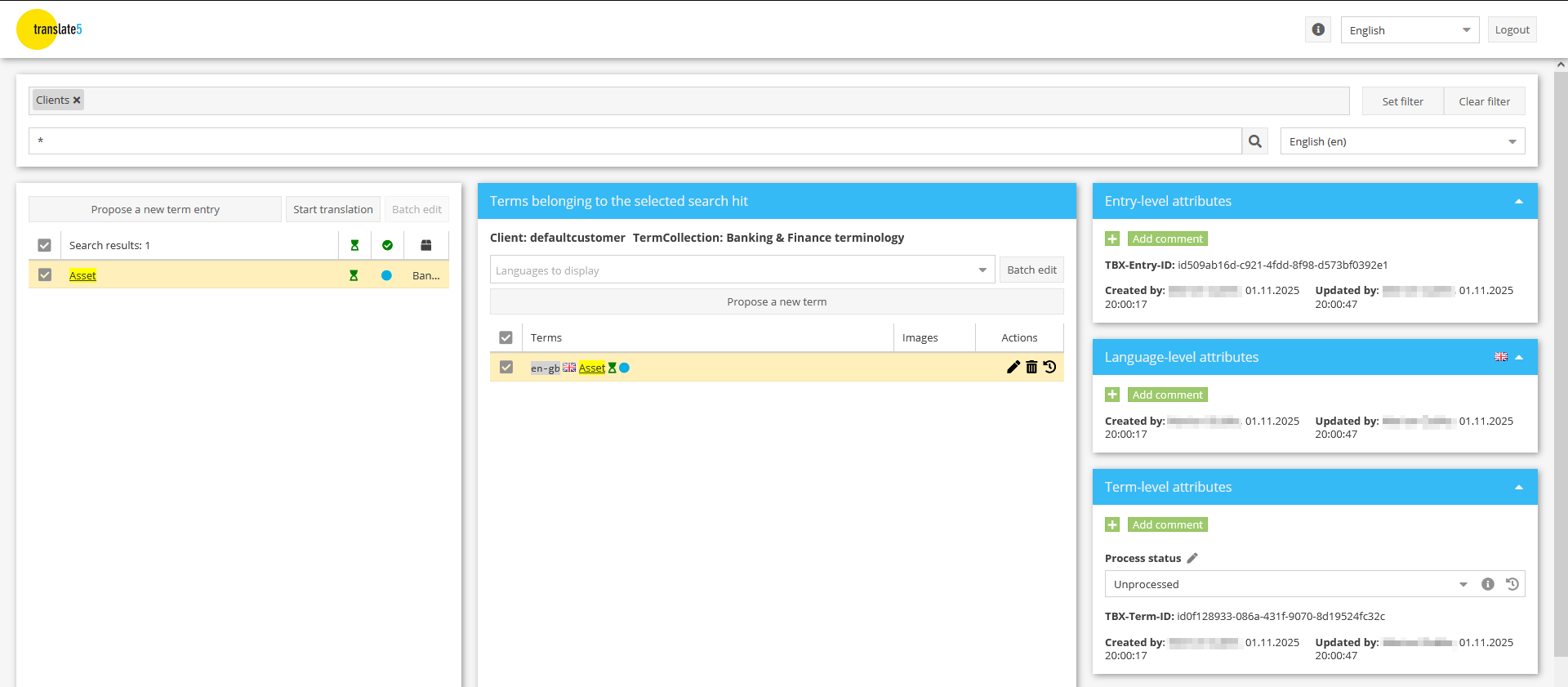
With the TermPortal, you can manage your specialist terminology centrally, comprehensibly and across teams. From termbase creation and maintenance to integration into the translation process – all in a consistent workflow.
Enter new terminology with ease
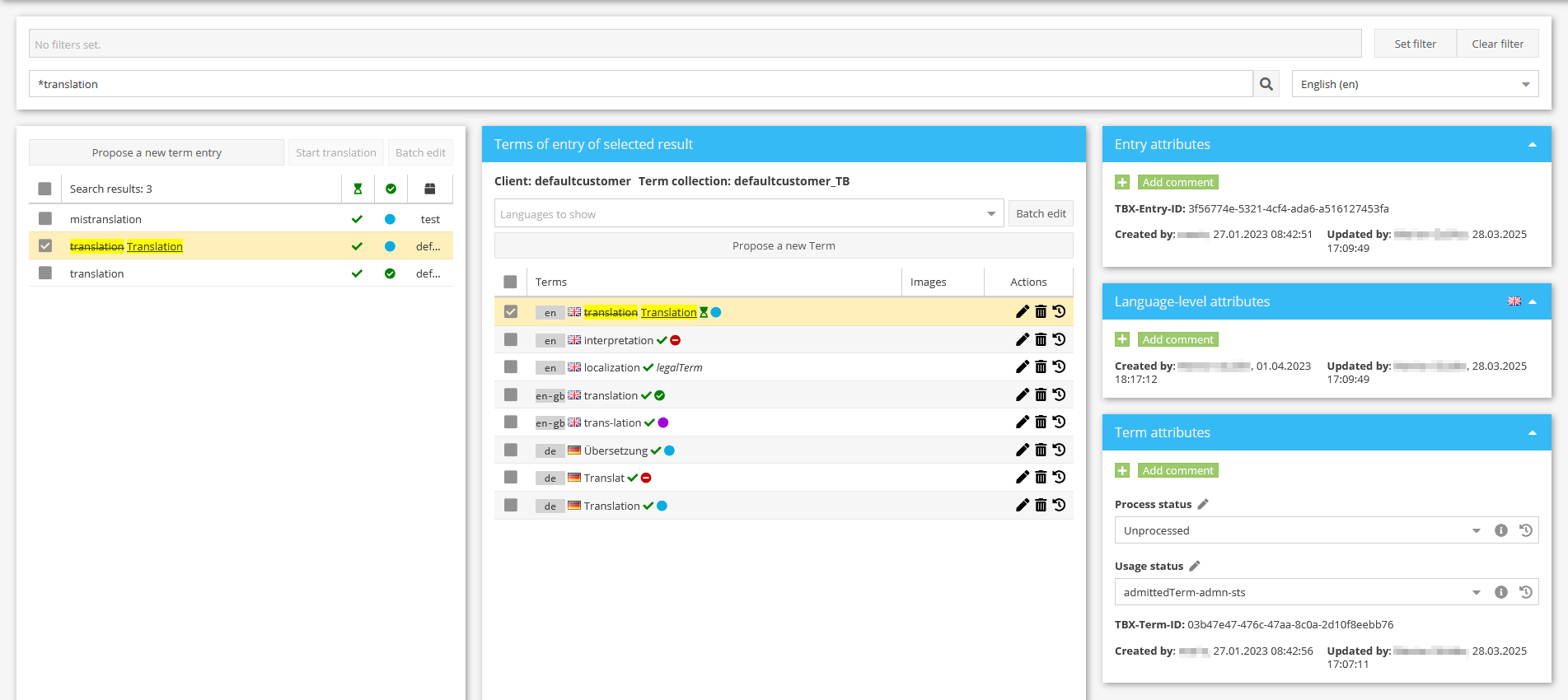
Record and structure your terminology as flexibly as you need: with user-defined attributes at entry, language and term level, images, cross-references and much more. TBX import and export in accordance with the LISA standard (version 2.0) and Across-compatible formats ensure seamless integration into existing systems.
Smart terminology search
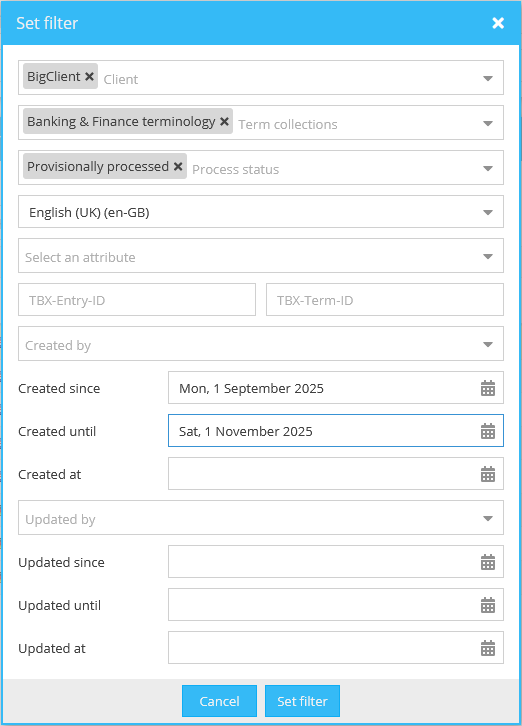
Find the right term in seconds: Combine filters, search through different TermCollections, languages or attributes – and access exactly the information you need.
The TermPortal offers you the following filter options:
by client;
by TermCollection;
by status;
by language combination;
by attribute;
by creation date;
by date of last change.
Using several filters at once enables a granular combination of criteria so that you can easily maintain an overview even in large terminology databases.
Role-based terminology process with full traceability
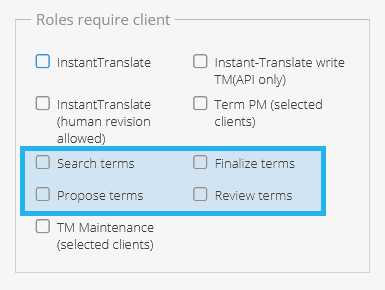
Empower your teams to actively participate in building a terminology database – with clearly defined roles and transparent processes. Users can – depending on their role:
search TermCollections,
propose new terms,
check and approve terminology proposals.
Thanks to tracked changes and process-based status levels, every change remains fully traceable – for maximum quality and transparency throughout the entire terminology workflow.
Efficient terminology maintenance for up-to-date TermCollections
Always keep your TermCollections up to date – thanks to powerful terminology maintenance functions:
Batch editing: change or add attributes for several entries at once – quickly, consistently and in a time-saving manner.
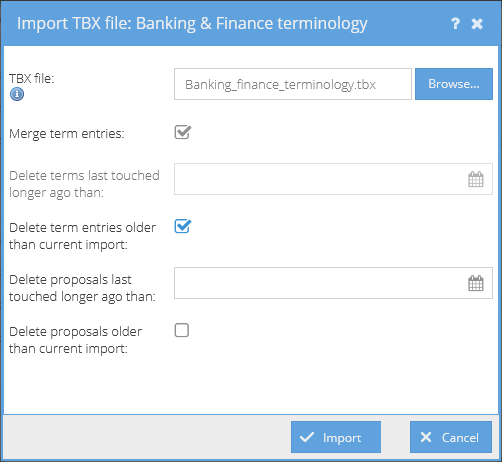
Intelligent TBX re-import: Automatically merge similar entries to prevent duplicates.
Automatic clean-up: Conveniently remove obsolete or unused entries via the TBX import process.
This keeps your terminology databases precise, well maintained and ready to use – at all times.
Seamless integration with InstantTranslate and the translate5 editor
Combine terminology maintenance and translation into a continuous process:
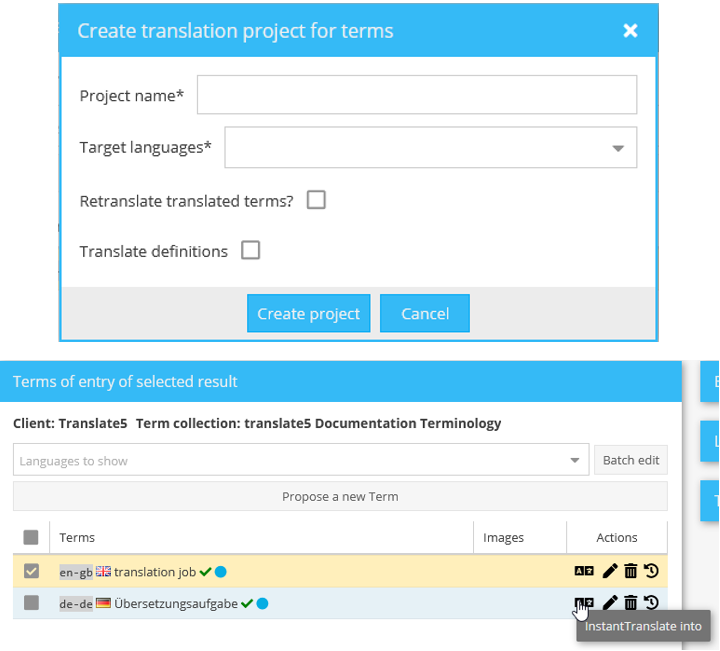
Send terms directly from the TermPortal to InstantTranslate and automatically import the translated results back again – quickly, securely and without media discontinuity.
Alternatively, you can create translation projects in translate5 directly from the TermPortal to efficiently translate entire TermCollections.
The responsible project managers are notified automatically – for a smooth, transparent and fully integrated workflow.
Individual branding and flexible customization
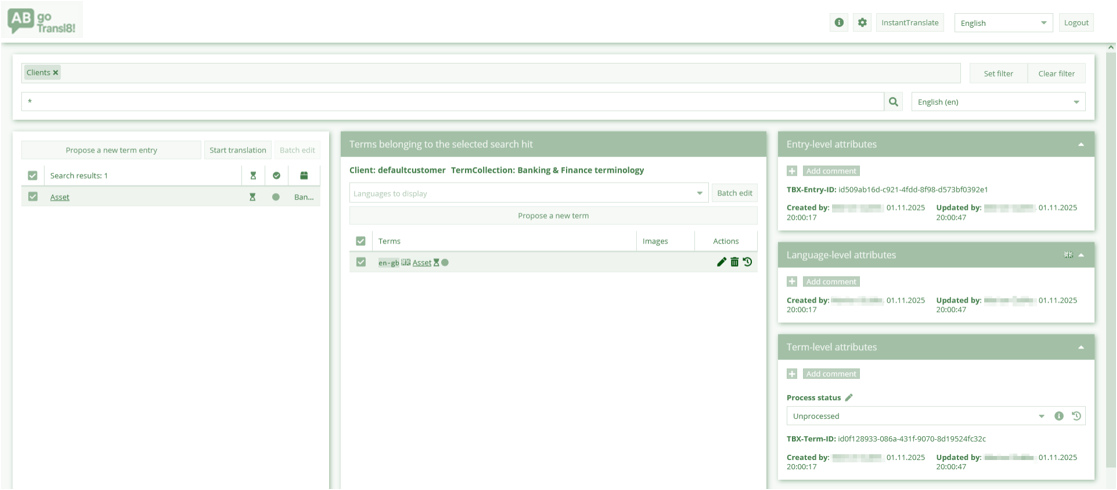
Customize the TermPortal user interface to match your corporate design: with customizable headers, your own HTML branding and individual design options, you can integrate the TermPortal seamlessly into your existing system landscape. Whether logo, colour scheme or layout – you decide how your user interface is presented. This creates a uniform, professional appearance that strengthens your brand and at the same time increases user-friendliness.
Flexible use – even without the rest of the system
The TermPortal can also be used independently if required – completely stand-alone or as an isolated platform for users who only require access to terminology. This means that the tool can be optimally adapted to different set-ups: as part of an integrated translation platform or as a pure terminology tool for lookup, quality assurance and consistent technical language.