Whether you just want to know your average number of tasks you process per month or the average Levenshtein distance for a very specific combination of client, language resources and linguists, translate5 has the solution.
Levenshtein distance
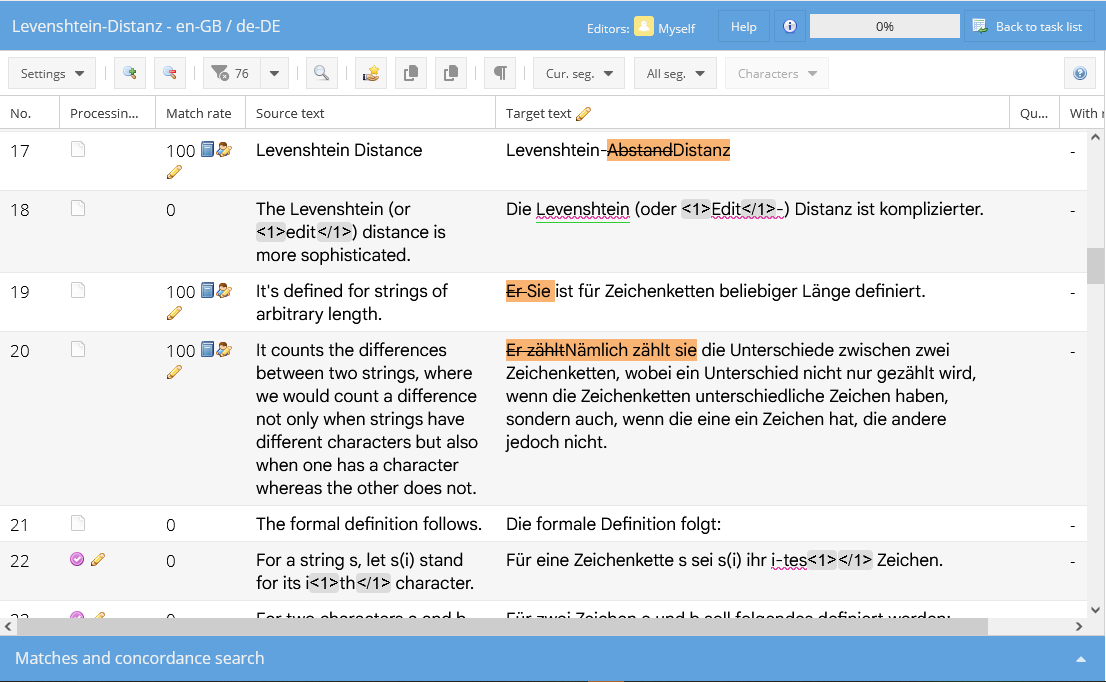
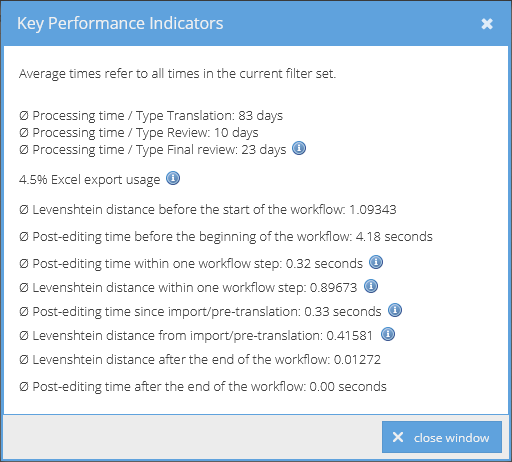
Do you need to know which language resource provides the best pre-translations for a particular subject field, or which linguists meddle most with your pre-translations? It could not be easier: translate5 by default measures the average Levenshtein distance of all segments for each task in all projects. Meaning how many characters have been deleted, added or changed in a segment. The query for these KPI can be called up directly in the task overview and displays the numbers of exactly those tasks that are displayed as a result of a smart combination of different filters – and at different points in time or for certain periods of time within the project.
In translate5, almost anything can be filtered: Nearly every column in the task overview can be filtered for numbers and/or characters (sequences). Add the advanced filter in order to filter in a third dimension for additional criteria such as language resources used, match rate of the segments or linguists assigned.
Post-editing time
Like the Levenshtein distance, translate5 also automatically measures the post-editing time for each segment for all tasks and outputs it as an average value over a set of segments defined by specific filter combinations. Measure the average post-editing time of the segments of a task within workflow steps, for a part of the workflow or for the complete workflow. The output of the average post-editing time can be defined in the same way as the query for the Levenshtein distance using filter combinations, so that you can analyse precisely those projects and/or linguist services that you are interested in.
TQA – Translation Quality Estimation
Translation Quality Estimation per document or segment
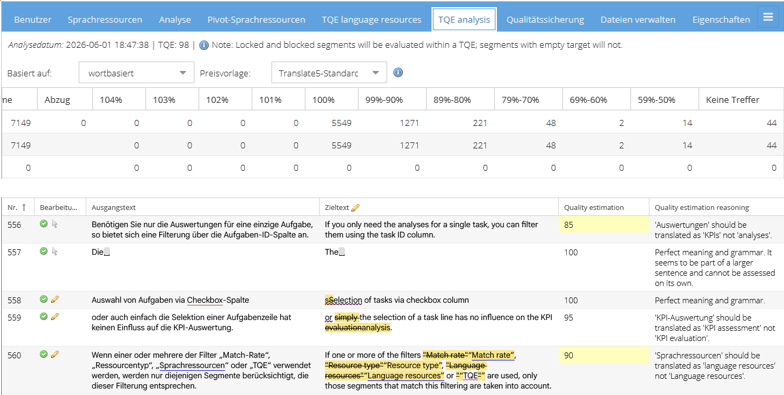
Have the quality of an automatic pre-translation calculated per segment – this work is done for you by a language model that is prompted accordingly. You can benefit from this analysis in InstantTranslate, where you are shown an average quality score for each translated document, or in the editor: Here, the quality of the automatic pre-translation is determined for each segment and displayed in a colour gradation so that you can immediately see which segments require more attention than others. Further support is provided by the written explanation of the quality values, which also states why the quality of the pre-translation was high or low for each segment. This analysis is also available at task level and can be analysed at any time, and also during an ongoing project – even after switching the language model used for the analysis.
Average Translation Quality Estimation at task level
Determine the average translation quality estimation of a task, measured at segment level. And that within workflow steps, for a part of the workflow or for the complete workflow. The output of the average Translation Quality Estimation can be controlled in the same way as the queries for the Levenshtein distance and the post-editing time using filter combinations, so that you can analyse precisely those NMT and LLM language resources that interest you.
CAT analysis based on words and characters
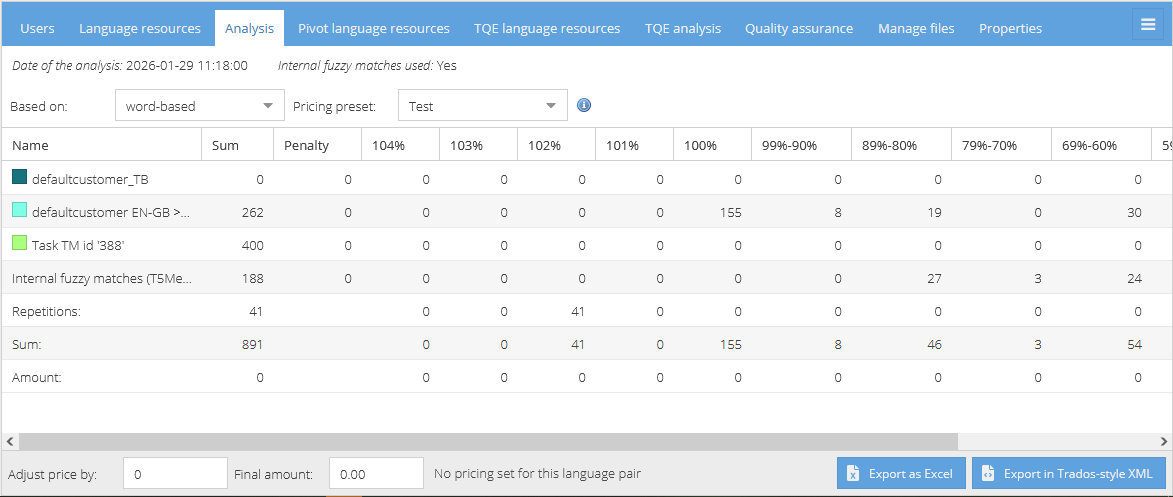
Analyse your translation projects with the inclusion of all involved language resources and fully customizable fuzzy match bands. The analysis basis (word-based vs. character-based) can also be switched during the ongoing project, just as the analysis can be exported at any time in Excel or a Trados-like XML format. After adding or removing one or more language resources before or during the project, the analysis can be restarted as often as required.
Task processing time – how long does it take to complete a task from start to finish
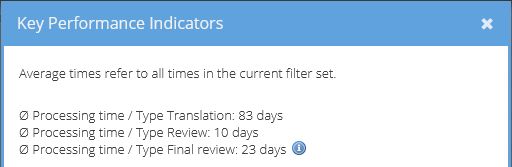
Would you like to know the average time it takes from the first user assignment of a task to its completion? translate5 also measures these times for the job types “Translation”, “Review” and “Final review”.
Export your analyses for individual evaluation
Are the extensive filtering options in translate5 not enough for you? Then simply export your analyses for further processing – for example in Excel, with Microsoft Power BI or other tools.
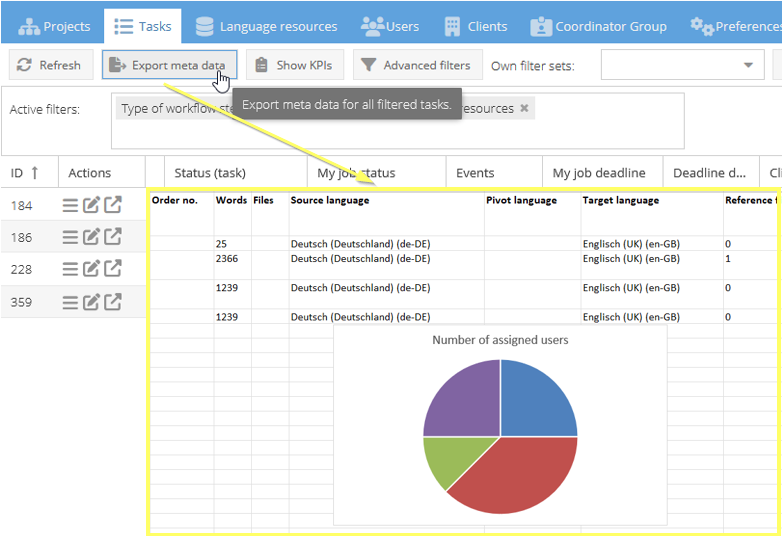
By clicking on “Export meta data”, translate5 creates a downloadable Excel file with all columns and values of the currently filtered tasks or segments. All meta data directly related to the tasks can be exported. This also allows for highly specific KPI evaluations, individual reports or further analyses to be created flexibly outside the system.
This extends the integrated reporting and analysis functions of translate5 with practically unlimited possibilities for customized data evaluation.